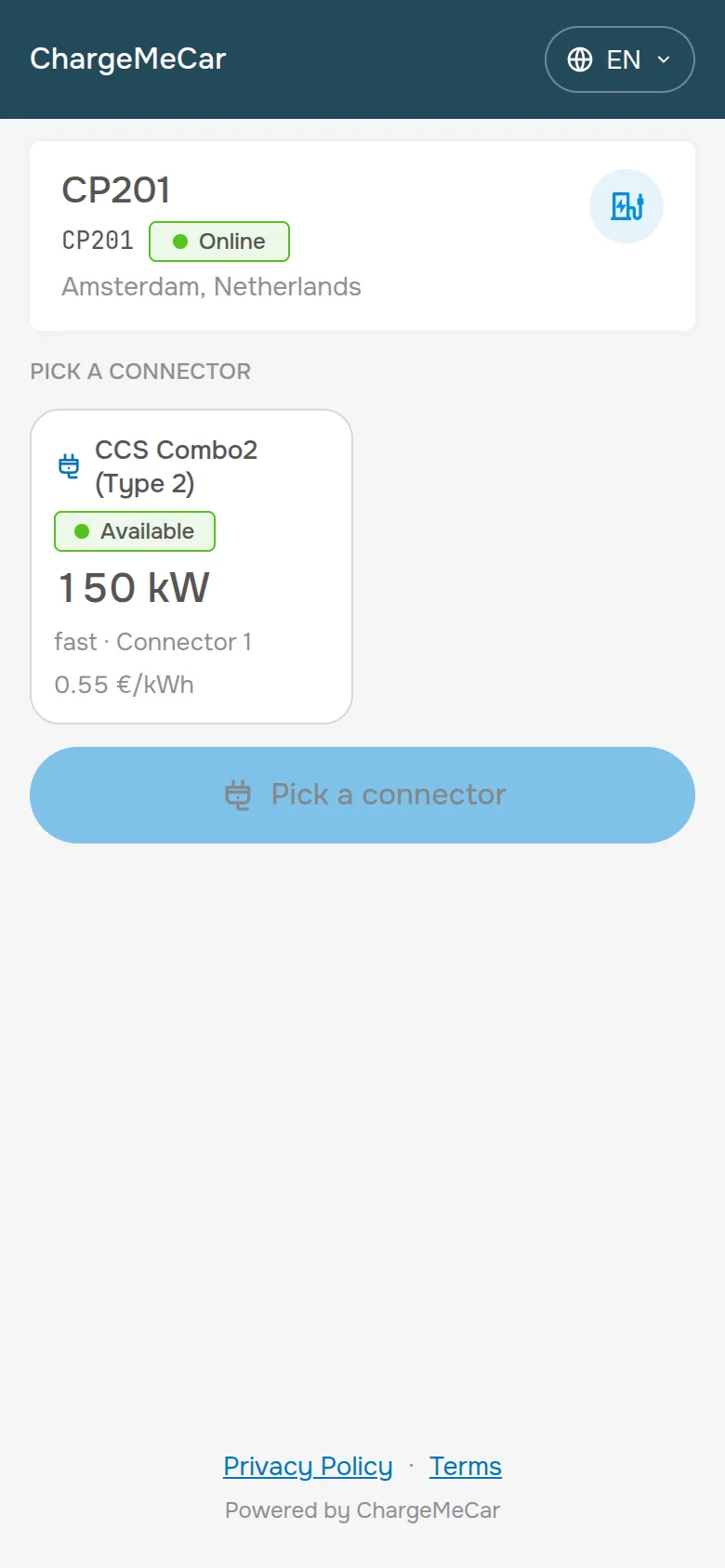
A cloud charging station management system:Charge your own fleet – or take payments from drivers straight to your bank account
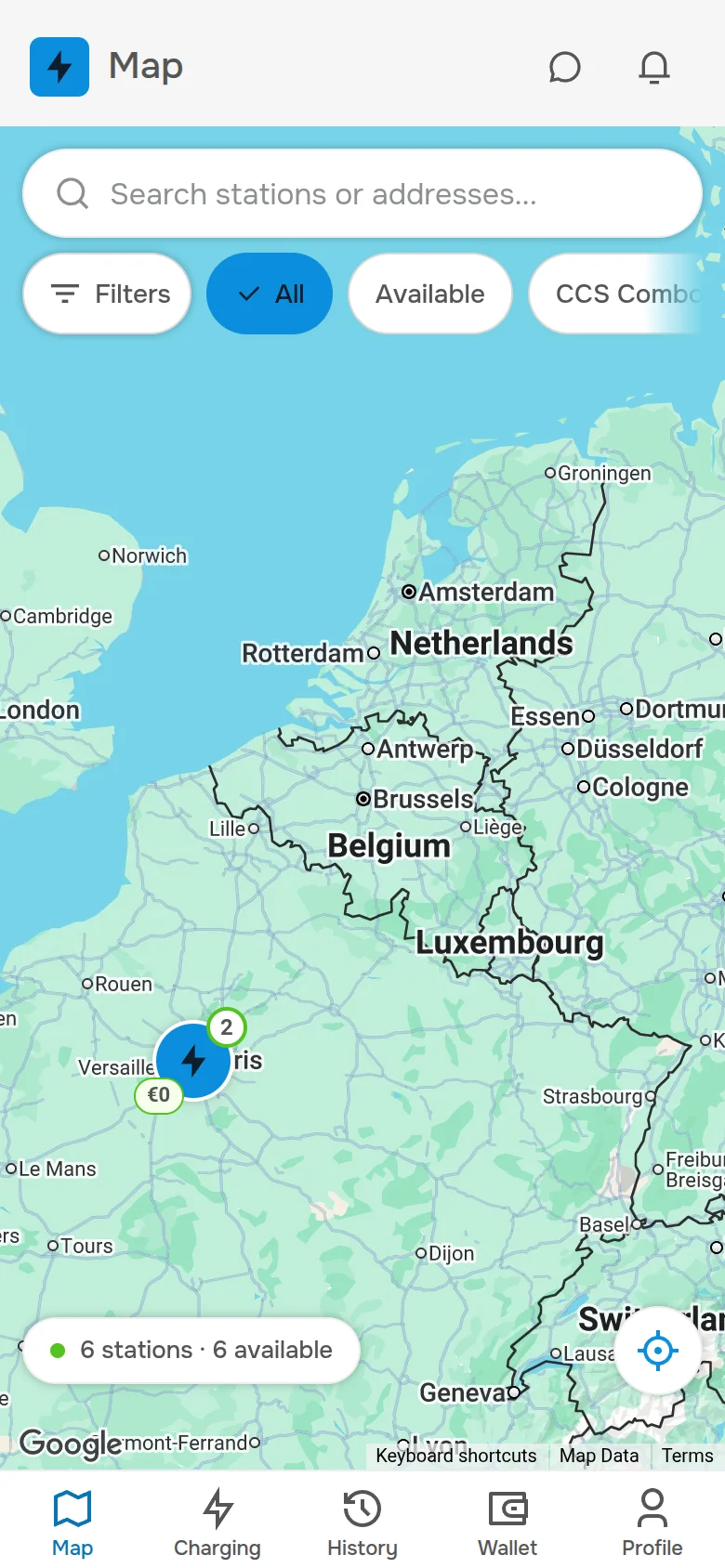
ChargeMeCar gives you a live station map with connector states, tariffs, drivers, invoices and remote commands. By default a station serves only your own people – employees and invited drivers.
When you are ready to earn, connect your Stripe account in a few minutes: drivers’ money is charged in your account, the receipt carries your name, and our 2–6% fee is withheld from each payment – the rest is yours right away.
For companies and private station owners with one to fifteen charging points. A couple of stations is not a “small client” here – it is our primary scenario. A private individual can take payments too: with the small-enterprise VAT exemption or as a registered sole trader, whichever your country provides. Running a larger network? The same platform is available under your own brand.
Residential buildings and property managers
A residential car park. Residents charge by invitation; outsiders have no access to the station. Want to let guests in? Enable payments: the income lands on the co-ownership’s account, and per-session reports go straight to the bookkeeper.
Business centres and offices
Stations for your tenants and staff: invite them and they charge, with no outside cars taking the spots. Guest traffic can be monetised with the same station – no second system and no in-house IT department needed.
Hotels and guesthouses
Charging for guests is a service amenity, like parking or Wi-Fi. If the hotel sits by a motorway, enable payments for passers-by, and the station brings income even in low season.
Petrol stations
Company vehicles charge under internal rules, visitors pay the commercial tariff. While a customer waits for the charge, the station shop’s average ticket grows.
Roadside café or shop
One or two stations by the road. EV drivers plan routes by the charging map – the station brings customers to you, and charging revenue lands on your account.
Private owner or a small car park
A wallbox on your own driveway or five to fifteen points in a car park: some for your own cars, some for the public at a tariff. Several legal entities and networks under one account, access by RFID cards.
Charging networks, energy companies and station manufacturers
A larger network, your own customers, your own brand. Take the platform behind ChargeMeCar as a separate installation on your domain – with the station owners you sign up and the commission they pay you.
Registration, the portal and station onboarding cost nothing. You pay only for what you use: 2–6% per receipt when you take payments from drivers, or €0.0216 per kWh when your fleet charges for free.
Own fleet
Default mode
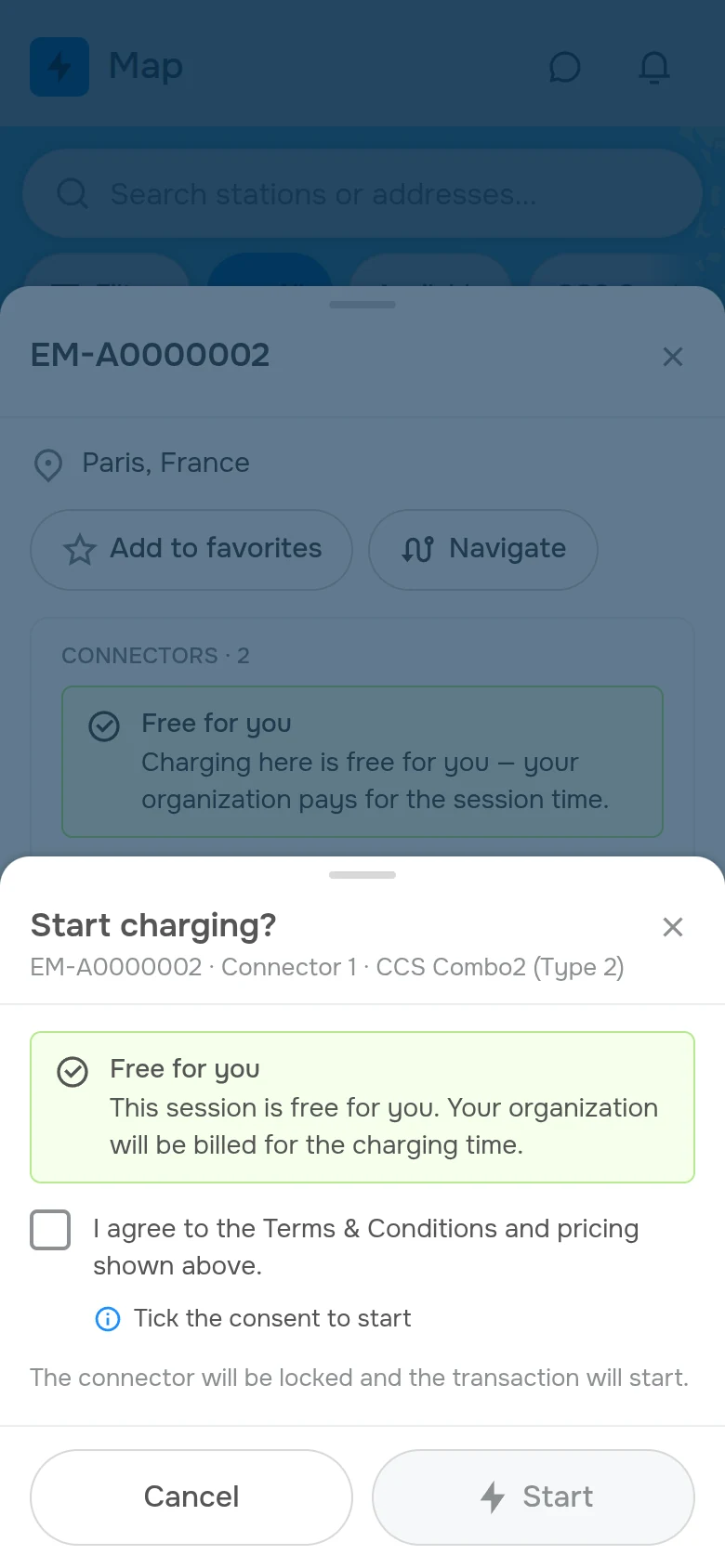
Only the people you invited can charge: employees and drivers by email invitation. The station is invisible to outsiders and takes no payments.
€0Up to 3 stations – free. From station 4, ALL stations are billed: a flat €0.0216 per kWh, debited from the owner’s prepaid balance.
Rate at 4+ stations – applies to all€0.0216per kWh= 4% of the €0.54 DC market median per kWh
Owner portal, driver app, remote station commands
OCPP 1.5/1.6/2.0.1, OCPI roaming (publishing live; partner tokens in rollout)
Employees and invited drivers – no limit on numbers
While you have 3 stations or fewer, charging is free on all of them. The moment station 4 connects, EVERY station is billed, including the first 3 – the free quota is a starter allowance for small owners, not a permanent discount on part of a larger fleet. Billed per kWh of actual charging on a connector – not idle time and not the station itself. The €0.0216 rate is 4% of the DC market median price of a kWh (€0.54): in this mode the driver pays nothing and there is no receipt, so the platform’s share is taken from the market instead. The invoice is issued to the station owner: each session’s cost is debited from the organisation’s prepaid balance in the portal – drivers pay nothing in this mode.
For comparison
Platforms of this class charge a fixed monthly fee per charging point on top of a transaction fee, and aggregators route revenue through their own balance and pay out on a schedule. Here it is 2–6% and direct settlement, with no subscription and no per-port fee: the money never enters the platform’s accounts at all – it is charged in your Stripe account right away.
The fee scale is fixed in the contract. Electricity, Stripe’s fees and VAT are your usual costs; the calculator below accounts for them too.
The key difference between ChargeMeCar and aggregators is the path the money takes. A payment is charged directly in your Stripe account; our fee is withheld from it at that very moment and the rest is yours at once – your money never sits on our balance. Here is the whole path, step by step.
What happens to a €9.00 receiptOut of a €9.00 receipt (one average session)
Stripe fees (EEA cards, euro account)
≈ €0.39
Platform fee
€0.54
To your account
≈ €8.07
1
Checkout
The driver pays: one-off by QR code or from the app
A passing driver scans the QR code on the station and pays by card with no registration – the ad-hoc payment the EU’s AFIR regulation requires at points below 50 kW. A regular one charges from the app, with a saved card and history. Either way the payment is charged in your Stripe account.
Visa · Mastercard · Apple Pay · Google Pay
2
Payment
The payment is charged in your Stripe account
The platform creates the payment on your behalf through Stripe Connect – Stripe’s standard interface for platforms – as a direct charge in your account. It is a regular payment of your business, not a transfer through somebody’s internal balance.
Stripe pays out to your bank on its usual schedule
Stripe transfers the funds to your bank account the way it does for any online business – on its standard payout schedule. Our 2–6% is withheld from each payment at the moment it is charged; the monthly statement itemises it per session for your bookkeeping – nothing is debited from you separately.
After every session the driver receives a Stripe receipt issued from your account, with your business name on it. VAT is your own affair – the standard rate of your country, or none if you are under the small-enterprise exemption; the platform stays out of your tax reporting.
How much lands on your account – and when the station pays back
Including electricity, Stripe’s fees, our fee and VAT. Pick your country and profile, move the sliders – the numbers update for your conditions.
The estimate is approximate. Prices, electricity costs and utilisation depend on the station’s location; market assumptions are from public sources as of 14 September 2026. Income tax is not included – check exact figures with your accountant.
Payback calculator
Net income after all deductions, and months to recover the station
Left to you per month€125 / month
Station payback65 months
White-label CSMS paybackpays off within 5 years from a station count of 43Licence: from €3,900 one-off + €270 / month
Every step is a short action in the portal, in the station settings or on Stripe’s side. Own fleet – three steps, payment acceptance – five. Either way with no managers, calls or waiting.
1
Sign-up≈ 1-2 min · on our side
Register in the portal
Email and password – under a minute. The portal opens right away: station map, live sessions, tariffs, clients, invoices, the OCPP journal.
Stripe account≈ 1 min with an account · up to 2 business days without
Have a Stripe account? Any country will do – if not, Stripe creates one along the way
Stripe accounts from any country are accepted – there is no list. Without one, the “Connect with Stripe” button takes you through Stripe’s own sign-up: business or personal details, identity check, bank account (IBAN). Most accounts are verified within minutes; some countries ask for extra documents and take a day or two.
The “Connect with Stripe” button in the “Billing” section opens Stripe’s consent screen: sign in to your account (or finish creating it), allow the connection – and you return already connected. Payments switch on as soon as Stripe enables card charges on your account.
In the station’s web interface enter your personal connection address – you can see it in the “Stations” section after clicking the “Connect a station” button. Save the settings and restart the station: it comes online within a minute. Any station with OCPP 1.6 or 2.0.1 will do.
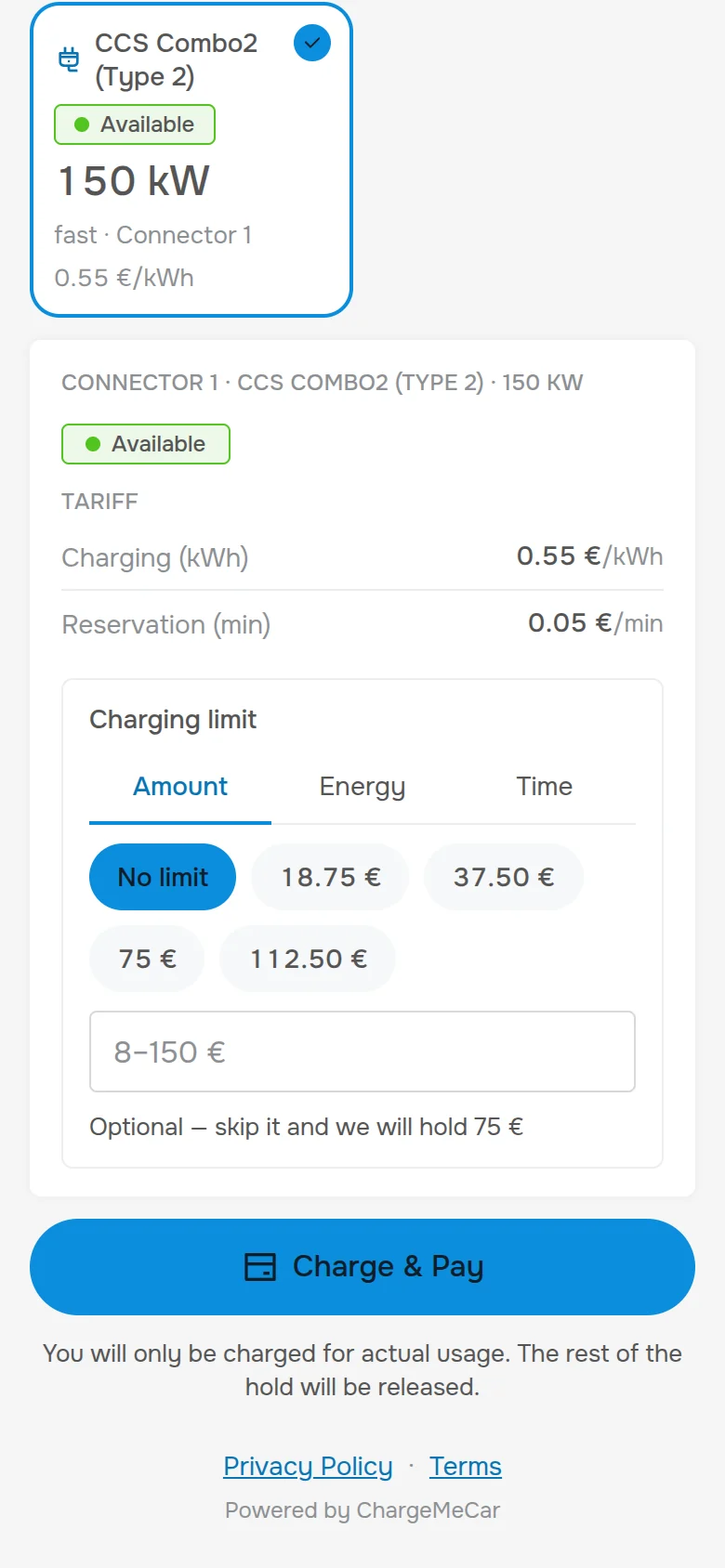
In the “Tariffs” section set prices per charging mode and service: kWh or minute, waiting, idle, reservation; the hourly schedule is on the next tab. The driver sees the tariff before charging starts, and the money for it is charged in your Stripe account.
For charging networks, energy companies, station manufacturers and fleet operators: the platform behind ChargeMeCar as a separate installation on your domain, with your logo, colours, legal entity and payment account. ChargeMeCar itself is one such brand – everything you can open from this site is what you get under your own name.
Your own installationA dedicated server, database and domain – not a seat in someone else’s SaaS. Your customers’ data stays in your installation.
Your brand on every surfaceOwner portal, operator workspace, engineer console, driver app, QR pay page and sign-in – on your domain, with your logo and colours, set through one brand manifest. No custom development.
The same release as ChargeMeCarEvery brand runs the same platform build: what is built for one brand reaches all. An update is one command; a failed database migration stops it and the running version stays.
A ready business model, not just softwareStation owners connect themselves, drivers’ money goes straight to them through Stripe Connect, and the platform commission is yours. Tariffs and rates are data in your installation.
Any OCPP fleetOCPP 1.5, 1.6 and 2.0.1 side by side with automatic translation – a mixed fleet in one portal.
Every surface of the platform on your own domain: the website, owner portal, operator workspace, engineer console, platform admin, driver app, QR payment, sign-in, REST API and the address your stations connect to
A charging station without a CSMS is just a socket with a plug
A CSMS (Charging Station Management System) turns charging hardware into a working service with a map, tariffs, payments and receipts. If you are still deciding whether to invest in charging infrastructure – this section is for you.
What a CSMS does
Six systems in one
01
Station and network connectivity – OCPP and OCPI
Accepts OCPP 1.5, 1.6 and 2.0.1 – one language for stations of any age and make. Roaming over OCPI 2.2.1/2.3.0: publishing your stations to partner networks is live, accepting partner tokens and commands is in rollout – the status of every line is on the CSMS page.
02
Payment acceptance
Charges the payment in your Stripe account, takes cards, Apple Pay and Google Pay, handles refunds – through Stripe Connect.
03
Receipts and VAT
The receipt goes to the driver from the station owner’s Stripe account, in the owner’s name. VAT follows the owner’s own status – the platform is not a party to it.
04
Working with drivers
One-off QR payment without registration – or a personal account in the app: history, saved cards, RFID tags, notifications.
05
Fraud protection
Funds frozen before charging starts, card limits, driver checks – with no operator involved.
06
Operator support
Connection monitoring, dropped-link handling, session recovery, reports – the portal does the routine itself.
Familiar analogies
Nobody builds infrastructure from scratch
Every infrastructure layer has a ready solution you simply plug into. A CSMS is the same kind of layer – for charging stations.
A shop does not build its own acquiring
It connects Stripe or Adyen – and accepts every bank’s cards plus Apple Pay and Google Pay.
A seller does not build its own logistics
It joins Amazon or Zalando – and sells across Europe without its own warehouse.
A station owner does not build their own CSMS
They connect to ChargeMeCar – and get ready infrastructure: the portal, the driver app, payments and receipts. No own servers and no development team.
A production platform with an EU company behind it
ChargeMeCar runs on a production-grade charging station management platform – an official release, in production, with every function described in an open API reference. The portal and the driver app are open to look at – before registering.
Yes. Every new account runs in the “Own fleet” mode: up to 3 stations are free, from station 4 ALL stations (including the first 3) are billed at a flat €0.0216 per kWh of actual charging. The invoice goes to you as the station owner and is paid from your prepaid balance in the portal – drivers pay nothing. Only people you invited can charge; outsiders have no access. If the balance runs out, only starting new sessions is blocked – the stations stay online and the data is kept. Portal and app updates are included, with no extra charges for new features.
Who receives the money – you or me?
You do. The payment is charged directly in your Stripe account, Stripe pays the funds out to your bank account on its usual schedule, and the receipt carries your name. The platform only creates payments on your behalf through Stripe Connect – it never sees or touches your money.
What about refunds and disputes?
They are handled in your Stripe account, like for any online business: the platform never holds the money, so it cannot refund on its own. You issue a refund from your Stripe dashboard and it goes back to the driver’s card; a chargeback (dispute) is answered in Stripe with the session data, and Stripe charges a dispute fee whether or not you win it – the current amount is in Stripe’s pricing.
How do you collect your 2–6% if the money goes straight to me?
It is withheld from each payment at the moment Stripe charges it: you receive the receipt amount minus 2–6%. Once a month you get a statement itemising the fee per session – a document for your bookkeeping, not a bill; nothing is debited from you separately.
Can I start with my own fleet and enable payments later?
Yes, the switch is automatic. While no Stripe account is connected, the “Own fleet” mode applies. Connect Stripe in the “Billing” section – new sessions are billed (2–6% per receipt) and the money is charged in your account. You can disconnect at any time – stations, data and session history are preserved.
What if I want to leave?
Disconnect the Stripe account in the “Billing” section of the portal – payments through the platform stop immediately; your Stripe account and its history stay yours. No calls needed, no penalties.
What access does the platform get to my data?
Stripe Connect limits the platform to strictly defined operations on your account: creating payments, checking their status, issuing refunds. Your bank details, balance and Stripe settings are not accessible to us – Stripe’s own dashboard shows you exactly what the platform does.
Which charging stations are supported?
Any station speaking OCPP 1.5, 1.6 or 2.0.1: the platform talks the protocol, not a make – if your station supports one of these versions, it connects. Check the connection field names in your station’s manual.
What if I only have one or two stations?
That is our primary scenario: a roadside café, a small hotel, a residential car park, a private owner with a wallbox. The terms do not depend on the number of stations, and onboarding takes the same time for one station as for thirty.
Can a private individual take payments?
In most EU countries – yes, within the small-enterprise VAT exemption or as a registered sole trader; Stripe onboards individuals as well as companies. The income is declared under your country’s income tax rules – the calculator says so explicitly and does not model it. Check the threshold and the registration your country requires.
Can I run several organisations or brands under one account?
Yes. One account can hold several organisations – convenient when stations belong to different legal entities. Corporate clients can get their own theme, logo and domain.
What about VAT and receipts?
The driver’s receipt is issued from your Stripe account in your name after every session. VAT follows your own status: the standard rate of your country if you are VAT registered, none if you are under the small-enterprise exemption. The platform is not a party to your tax reporting.
Does the station meet the EU’s AFIR rules?
The ad-hoc QR payment page is exactly what AFIR (Regulation (EU) 2023/1804) asks for at publicly accessible points: pay with a common card without a contract or an app, see the price before charging. Whether your point counts as publicly accessible and which deadlines apply to its power class is a question for your national authority – the platform gives you the payment path. AFIR accepts the QR path for points below 50 kW; from 50 kW upwards the regulation requires a card terminal or contactless reader on the station itself, which the payment page does not replace.
How are driver tariffs configured?
In the portal, per station: per kilowatt-hour or per minute, waiting, idle and reservation fees, schedules by time of day and day of week. The driver sees the tariff before charging starts – in the app or on the QR payment page.
Can I migrate from another CSMS without reflashing?
Yes. On most stations the OCPP server address is changed via the local web interface or an administrator RFID card. No firmware changes required.
What happens if the station loses internet connectivity?
Charging itself does not depend on the cloud – the station keeps working, and on most models OCPP messages are stored locally and delivered once the link is back. The portal shows the outage immediately: the offline status is real-time.
The station broke – who is responsible for what?
Software and payments are our territory: the station status is visible in real time, some problems are solved by a remote reboot from the OCPP Pro console, and a defect ticket moves through “Open → In progress → Resolved”. Physical repair belongs to the manufacturer or your service company; we provide diagnostics that make the engineer’s job easier.
How is ChargeMeCar different from other charging platforms?
The path of the money, and entry without managers. On most platforms revenue first lands on the platform’s own account or internal balance and is paid out on a schedule, on top of a monthly fee per charging point; here the payment is charged in your Stripe account, and we are physically unable to hold the money. Onboarding is self-service, pricing is published, and neither the contract nor the prices hide behind “book a demo”.
Support
Describe your question
We reply within one business day. You can also write to info@chargemecar.com.
Ready to start?
Registration takes a minute, a station connects in fifteen. If questions come up, support replies within one business day.
Own fleet – €0 up to 3 stations · payment acceptance – 2–6% per receipt · disconnect in one click